

/docs/workflows documents all workflow definitions, their scheduling configuration, and provides interactive DAG visualizations of each workflow’s steps.
Workflows overview
The overview lists every workflow with its step count, which procedures trigger it, and its cron schedule (with human-readable tooltips like “Daily at 2:00 AM”). A dedicated schedules table shows workflows that run on a cron schedule, with the cron expression, timezone, and whether overlapping runs are skipped.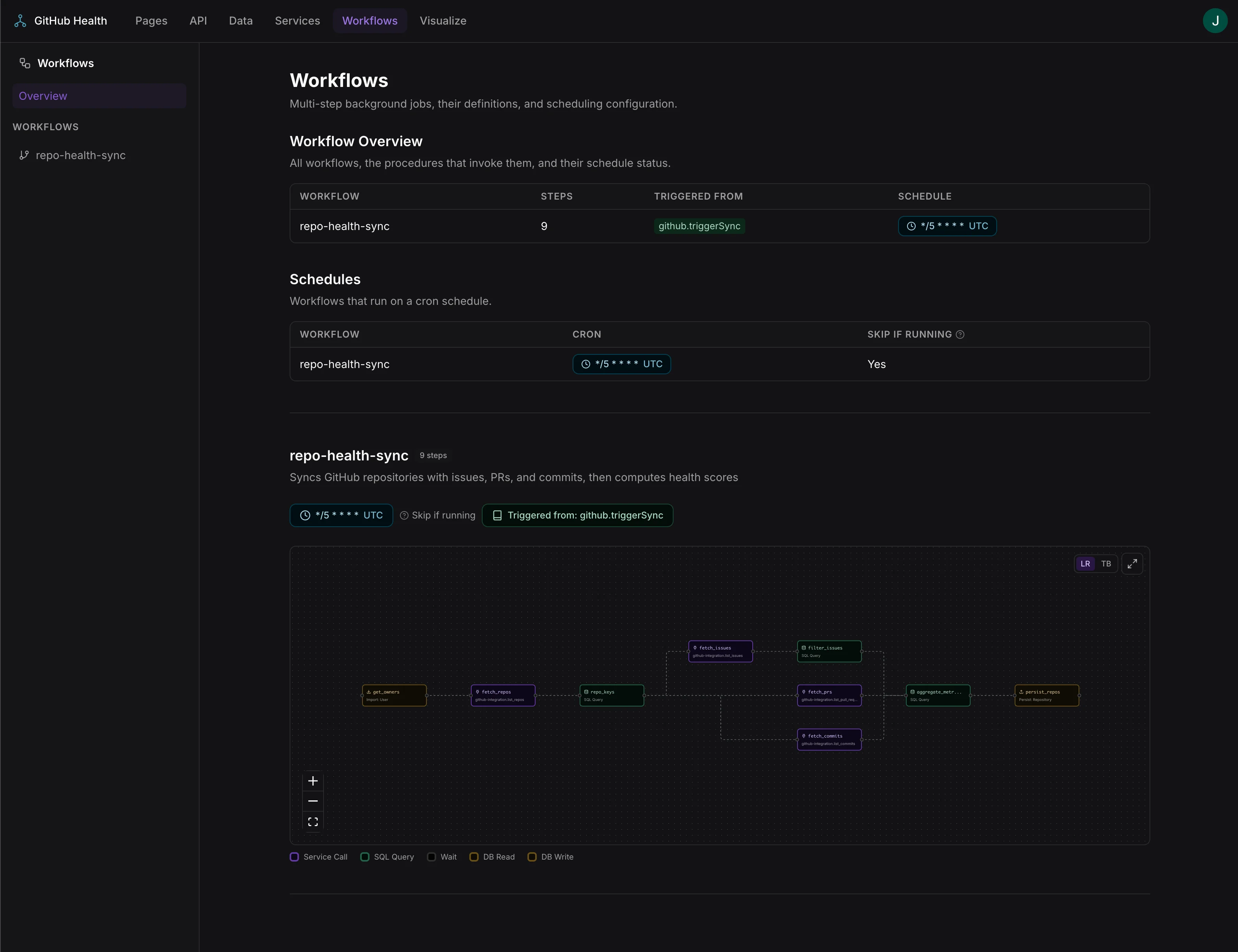
Workflow overview with step counts, triggers, and cron schedule configuration
Workflow detail
Clicking a workflow scrolls to its detail view, which shows:- Name and description — the workflow’s display name and description
- Step count — badge showing the number of steps
- Triggers — linked badges for cron schedules and procedure triggers, with links to the API docs
- Input variables — the workflow’s input parameters with names and types
- Interactive DAG — a visual graph of the workflow’s steps
Interactive DAG visualization
Each workflow includes an interactive directed acyclic graph (DAG) built with React Flow. The DAG supports:- Direction toggle — switch between left-to-right and top-to-bottom layouts
- Expand to fullscreen — maximize the DAG for complex workflows
- Click a step — opens a details panel showing the step’s configuration, service operation links, SQL queries, and dependencies
- Click a branch edge — shows the branch condition SQL and which step it gates
- Input variables panel — displays the workflow’s input variables when expanded
- Zoom and pan — scroll to zoom, drag to pan
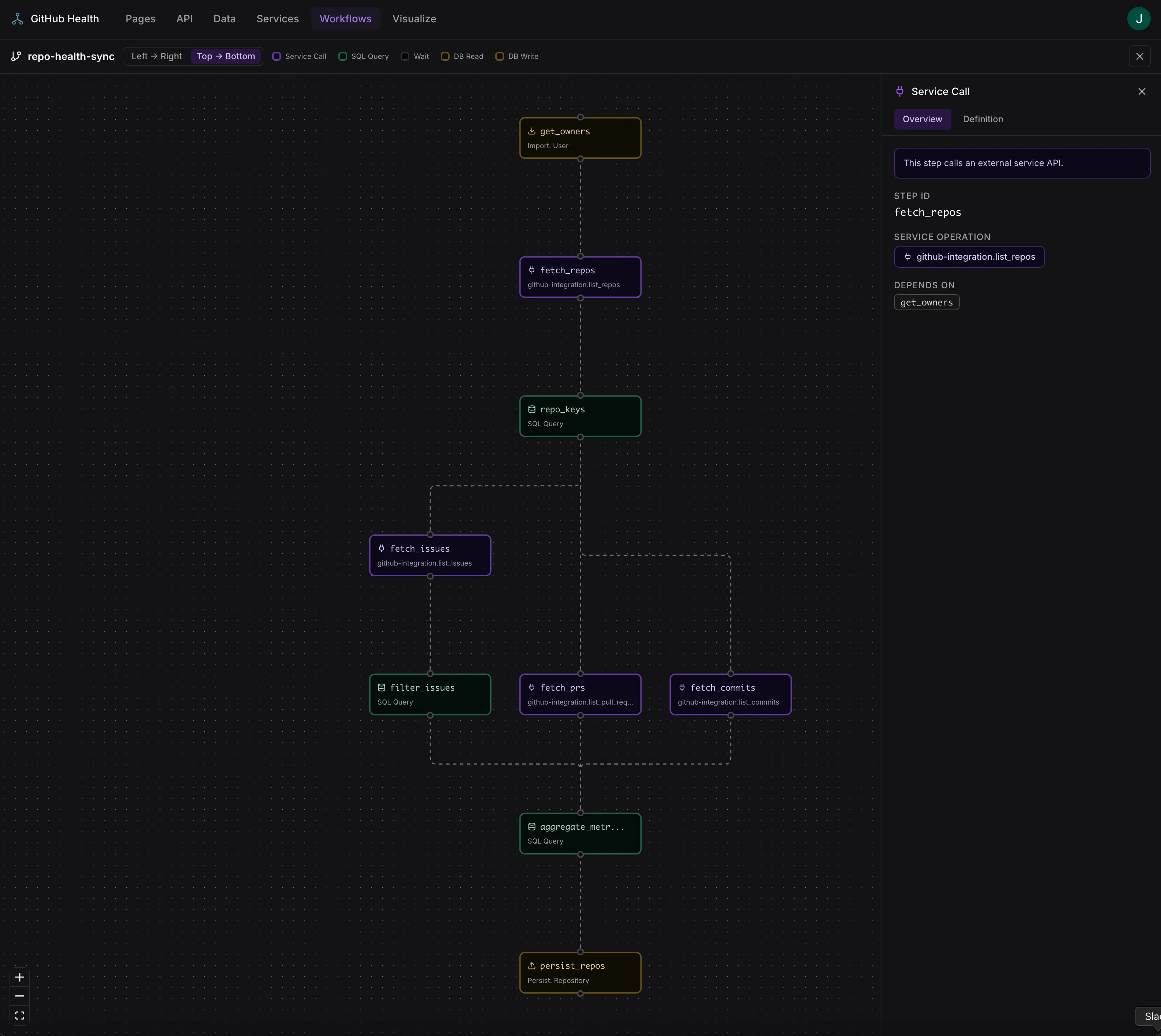
Interactive workflow DAG with color-coded step types and step details panel
Generated from
This page is populated from the workflow manifest, which the build pipeline generates by analyzing workflow definitions insrc/server/workflows/ and schedule configurations in schedules.json.